
Description:
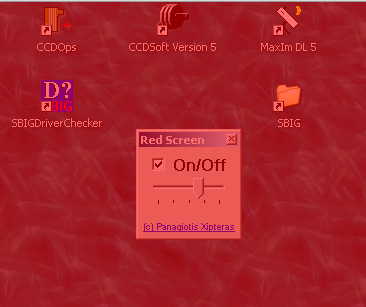
A useful program for astronomers having a PC next to their telescope. It makes the computer screen red, keeping your eyes adapted in the darkness, since the red color does not disturb astronomic observations.
Licence
"Red Screen for Windows" is freeware and it is distributed as a single, free-of-charge ZIP package. If you find it useful, you are encouraged to link AstroDigital.Net from your astronomy homepage. Thank you.
Requirements:
Operating Systems:
- MS-Windows 7
- MS-Windows Vista
- MS-Windows XP, Service Pack 2 with .NET-2.0 framework, MS-Windows-3.1 Installer (tested)
CAUTION:
Remember, the intensive red color may damage your eyes! The author does NOT take ANY responsibilty on damages of your health or your equipment or your data. DO NOT USE Red Screen IF YOU DON'T FEEL FREE TO DO SO.
Download:
Download a stable version right now. Just click on the link below:
 Red Screen - v1.0 (english)
Installation:
- Download and install the .NET-2.0 framework on your Windows-XP computer. This step can be omitted on Windows Vista or Windows7 computers.
- Download the Red Screen and unpack the zip file in a temporary folder
- Double click on publish.htm to install Red Screen (IE required)
Invocation:
- Click on Start > Programs > Panagiotis Xipteras > Red Screen
- Adjust the color intensity
- Click On/Off to activate/deactivate the red screen.
- Dim your monitor to achieve best results.
Copyright:
The software Red Screen is Copyright (c) 2007-2014 by Panagiotis Xipteras.
Warranty:
NO WARRANTY. You use Red Screen at your own risk.
Complaints & Bug Reports:
If you want to report a bug, to complain about a function, do it here, please.
Screenshots:
Publications:
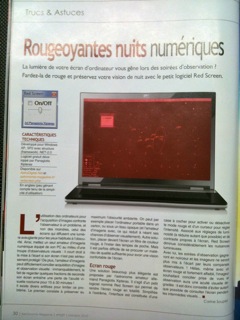
This Red Screen software has been published in Astronomie-Magazine.Fr , Issue October 2010, Page 30:

Known Issues:
#1: (Severity=Minor), (Platform=MS-Windows-7 and MS-Windows-Vista), (Description=The key combination ALT+TAB useful to switch between the applications may deactivate Red Screen and the windows desktop appears in normal color), (Fix=Not available yet), (Workaround_1= Do not use ALT+TAB when Red Screen is running), (Workaround_2= Click on the button deactivate/activate to enable Red Screen again).
#2: (Severity=Minor), (Platform=All), (Description=When you click the right mouse button on your windows desktop, the small popup appears in normal color), (Fix=Not planned), (Workaround_1= “”).